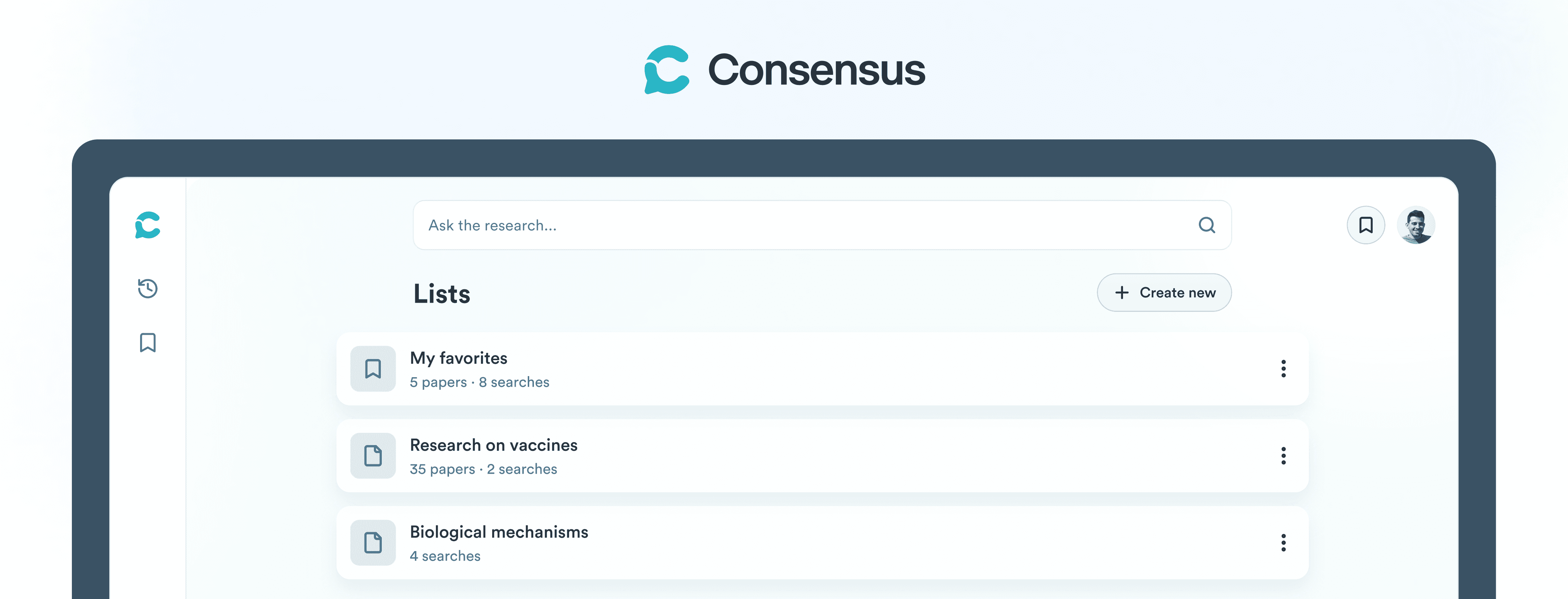
We are happy to announce the release of one of our most requested features - the ability to save both Consensus searches and individual papers directly within the Consensus product.
If you click the "Save search" on our search results page, you now can add your search to your "My Favorites" list or create your own custom list. You can also click the "Save" button on any individual paper and add it to a list.
Saved lists functionality will be limited to 10 total bookmarks (searches + papers) for our free users, with unlimited usage for our premium users. If you see any issues with our bookmarking feature, please let us know by sending an email to [email protected].
More detailed instructions to follow...
Bookmarking Instructions
Save Searches:
Step 1 Run a search in Consensus (ex: does zinc supplementation improve depression?) Step 2 Click the "Save Search" button in the top right corner of the results Step 3 Either select "My Favorites" OR create your own custom list and name it whatever you want Step 4 Make sure the correct list is checked and then click "Save"
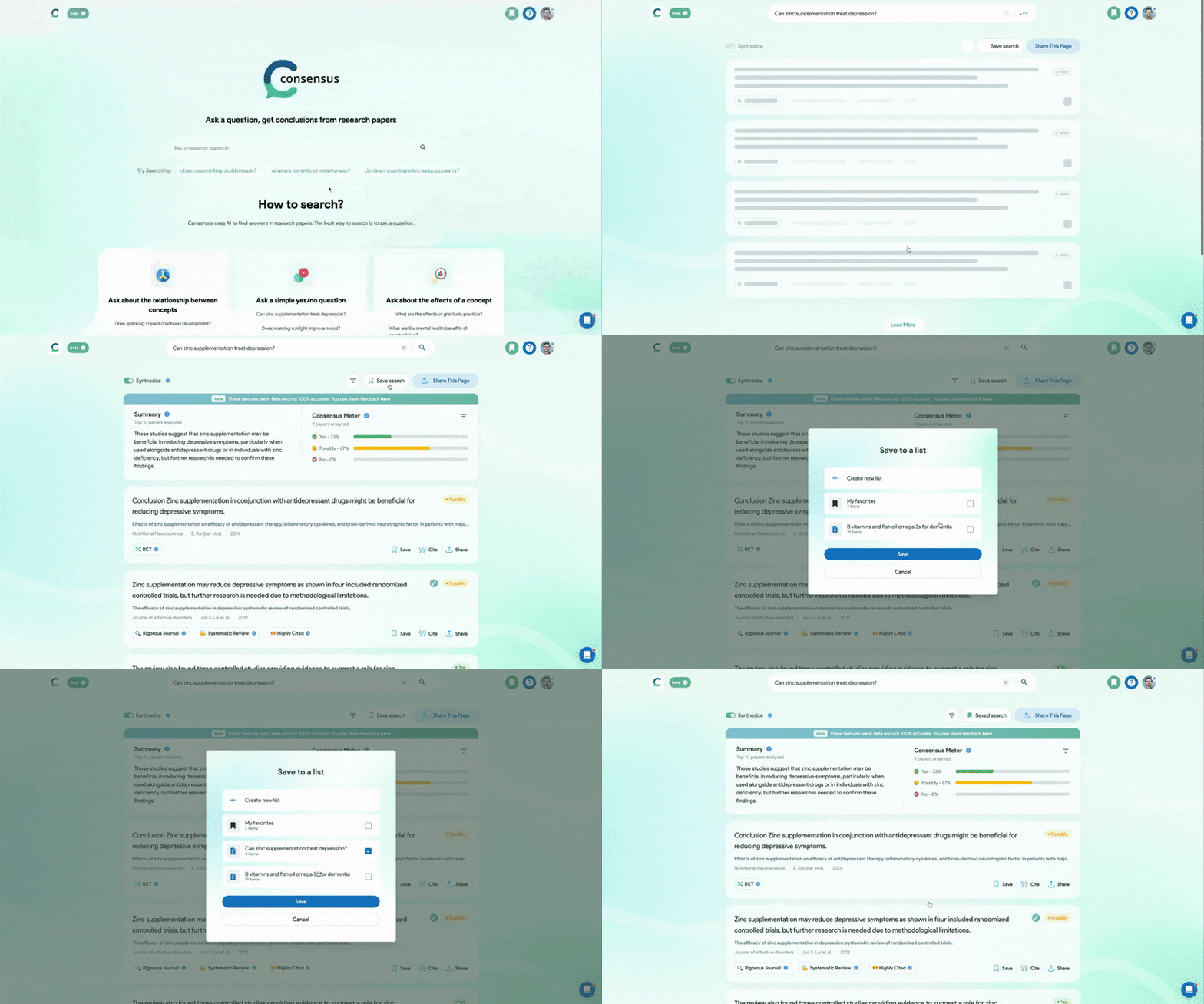
Save Individual Papers:
Click the "Save" button on any of the findings either on the results page or details page and repeat the above steps.

Access your saved bookmarks and lists:
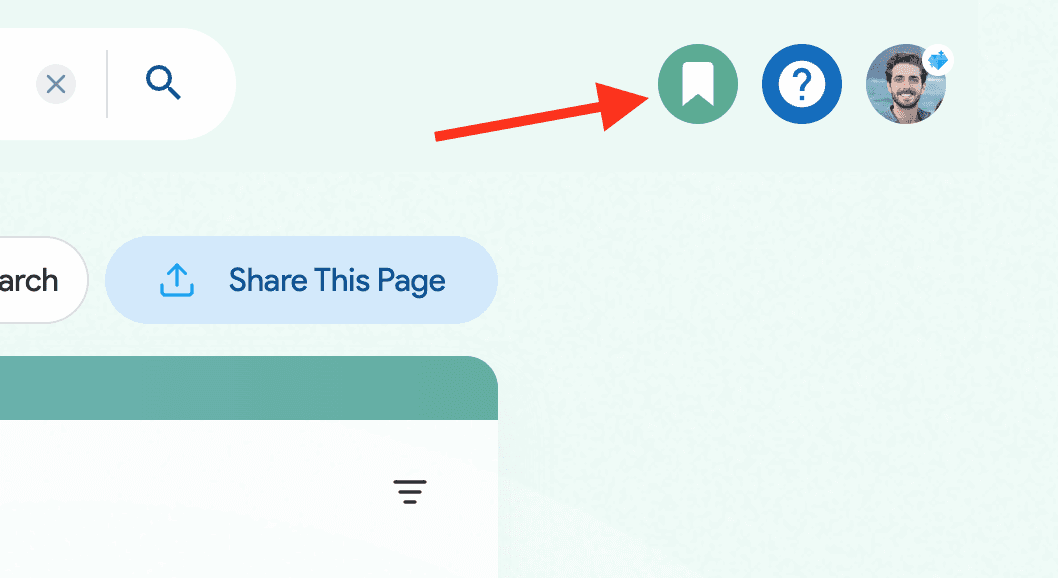
Click the green bookmark icon in the upper right of any page to go to your saved lists page and view your bookmarks.
The screenshots above show the feature on Desktop, but bookmarking works great in Mobile web browsers too! Learn how to add Consensus to your mobile home screen for easy access.
Unlock unlimited bookmarks and lists with Consensus Premium
The free plan comes with 10 bookmarks and 1 custom list. If you need more, check out our Consensus Premium pricing for unlimited bookmarks, full access to our AI-powered synthesis features, and many more features on the way!


